

Short answer: the best accounting software for a small business is usually the one your bookkeeper and tax preparer already work in. For most US small businesses, including the Dallas–Fort Worth companies we keep books for, that is QuickBooks Online, with Xero as the main alternative. Very small businesses can start free on Wave or Zoho Books, and complex companies with inventory or several entities eventually look at NetSuite.
Key takeaways
- Pick the platform your bookkeeper or CPA already uses: in the US that is most often QuickBooks Online.
- Free plans (Wave, Zoho Books’ free tier) suit very small businesses with simple invoicing.
- Prices change often: compare on each vendor’s current pricing page, not in old reviews.
- Software does not reconcile or categorize for you: clean books still need a monthly close.
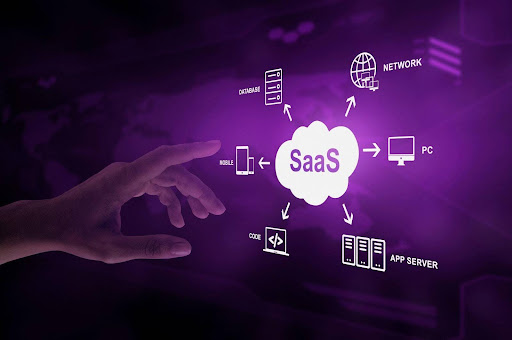
Cloud-based accounting solutions let a business keep its books online instead of on one office computer: bank and card transactions flow in automatically, invoices go out from the same system, and the owner, the bookkeeper and the tax preparer all work from the same numbers. For most small businesses in the US, the real choice comes down to a handful of platforms, led by QuickBooks Online and Xero.
In this article, we compare the top 10 cloud accounting software options, including QuickBooks Online, Xero, FreshBooks, Wave, and Zoho Books. Each of these tools offers unique features designed to streamline your business operations.
Below: why businesses move to cloud accounting, the ten platforms side by side, a comparison table, and how to choose. If you want a second opinion on your setup, schedule a consultation with LUCI Financial Solutions.
Benefits of Moving to Cloud Accounting Software

Why should you switch to cloud accounting systems? Switching to cloud-based accounting systems offers numerous advantages for businesses. At LUCI Financial Solutions, we’ve seen firsthand how these benefits can enhance efficiency and overall financial health.
1. Access Anytime, Anywhere
Cloud accounting software allows you to access your financial data anytime, anywhere. You can log in and check your finances at the office, at home, or on the go. This convenience allows you to use any computer, not just one. Cloud accounting helps you access your business data anytime and makes it easier to handle your money matters.
2. See Your Finances in Real-Time
One of the standout features of cloud accounting is real-time financial monitoring. You can see your current financial status at any moment with up-to-date information on income, expenses, and cash flow. This immediate insight helps you make informed decisions quickly, responding to financial changes as they happen rather than relying on outdated reports.
3. Save Money & Work Efficiently
Cloud accounting software can save your business money in several ways. You don’t need fancy equipment, or IT help because the software is on the internet. Subscription models let you pay for only the things you need. You can move to a bigger or smaller plan as your business changes. Also, these systems make accounting work easier and faster, saving time and effort. This also saves money and makes things run more smoothly.
4. Keep Your Data Safe & Backed Up
Keeping data safe is very important for cloud accounting systems. These platforms use strong security to protect your financial data from unauthorized access. Also, your information is regularly saved in different places to ensure it stays safe, even if the computer breaks or there is a big problem. This level of security and reliability provides peace of mind, knowing your financial information is well protected.
5. Work Together Easily
Cloud accounting software helps people work together by letting many users use the system simultaneously. This is helpful for businesses with teams from far away or different departments that need to work together on money tasks. Each user can have their login with specific permissions, ensuring that everyone can contribute without compromising the security or integrity of the data.
6. Always Up-to-Date
With cloud accounting software, you no longer need to worry about manually updating your system. The service provider handles all updates and maintenance, so you can always use the newest features and stay safe. This helps you save time and ensures your software works well all the time.
The 10 Popular Cloud Accounting Software Options Compared
Choosing the right cloud accounting software is crucial for your business’s success. Several platforms stand out for their features, ease of use, and pricing. Two of the most popular options are QuickBooks Online and Xero. Here’s a detailed look at what they offer to help you decide which is best for your business.
1. QuickBooks Online
QuickBooks Online is known for its comprehensive features designed for small—to medium-sized businesses. It helps you make invoices, track expenses, and see detailed financial reports.
You can link your bank accounts to bring in transactions automatically, which makes keeping track of your finances easier. QuickBooks also helps businesses keep track of their employees’ pay and products.
QuickBooks Online is sold as a monthly subscription in several tiers (Simple Start, Essentials, Plus and Advanced), with payroll as a paid add-on. Features such as project tracking, inventory and more users unlock in the higher tiers. Intuit changes plan prices and promotions often, so check the current QuickBooks pricing page before you budget.
Pros:
- User-friendly interface
- Includes payroll & inventory
- Scalable plans for different business sizes
Cons:
- It can be expensive for small businesses
- Limited features in the basic plan
- Customer support can be slow
2. Xero
Xero is another excellent cloud accounting software popular for its clean interface and powerful features. It helps you easily see which transactions go together in your bank account, send bills to people, and know how much money you spend.
Furthermore, Xero can work with many other apps, making it very adaptable. One standout feature is its multi-currency support, which benefits businesses dealing with international clients.
Xero is also priced as a tiered monthly subscription. The entry plan suits very small businesses with a low volume of invoices and bills; the higher plans add capacity, multi-currency and expense claims. Check Xero’s current US plans for today’s prices and limits.
Pros:
- Affordable pricing
- Excellent integration with third-party apps
- Strong multi-currency support
Cons:
- Steeper learning curve for beginners
- Limited features in the Early plan
- Customer support is primarily online, which can be slow
3. FreshBooks
FreshBooks is designed for small businesses and freelancers. It has an easy and user-friendly design. It can create invoices and automatically track expenses, time, and projects.
You can also create invoices, send them to clients, connect your bank account to track your spending, and handle projects with time tracking. Moreover, FreshBooks works with other apps to improve itself.
FreshBooks plans are tiered mostly by the number of billable clients, with a custom-priced plan for larger needs. That makes it inexpensive for a freelancer and more expensive as a client list grows. See FreshBooks pricing for current numbers.
Pros:
- User-friendly interface
- Great for freelancers and small businesses
- Includes time tracking & project management
Cons:
- Limited number of clients in lower-tier plans
- Can become expensive as your client base grows
- Basic inventory management features
4. Wave
Wave is a free cloud accounting software ideal for small businesses and freelancers. It has crucial tools like making invoices, tracking expenses, and scanning receipts. Wave helps you compare your bank statement with your transactions to see if they match.
One great thing about it is that you can make and send professional invoices for free. Plus, Wave works with many different tools and services, making it flexible and straightforward.
Wave’s core invoicing and accounting have been free to start, and Wave earns money from paid features such as payroll, payment processing and its upgraded plan. Which features sit in the free plan has changed over time, so confirm on Wave’s pricing page what is included today.
Pros:
- Free plan to start
- Easy to use and set up
- Ideal for small businesses and freelancers
Cons:
- Paid services for payroll & payment processing
- Limited advanced features compared to paid competitors
- Customer support primarily through email
5. Zoho Books
Zoho Books is a software that helps small and medium-sized businesses keep track of their finances. It has a lot of valuable tools to help with accounting and finance. In short, they are working on all sources of Bookkeeping.
This system does things automatically, like sending out bills, keeping track of money spent, managing things you have, and showing you all your finances in detail. Zoho Books works well with other Zoho apps so that you can do all your business stuff in one place. The software supports multi-currency transactions, making it ideal for businesses with international operations.
Zoho Books offers a free tier for very small businesses and several paid tiers that add users, contacts, projects, inventory and approval workflows. Plans and limits are listed on Zoho Books pricing.
Pros:
- Comprehensive features covering all aspects of accounting
- Seamless integration with other Zoho applications
- Affordable pricing for small to medium-sized businesses
Cons:
- Can be overwhelming for beginners
- Limited customization options in reports
- Customer support can be slow at times
6. Sage Business Cloud Accounting
Sage Business Cloud Accounting is a robust cloud accounting solution for small businesses. It has important tools like making invoices, tracking expenses, matching bank records, and reporting finances.
Sage can help you manage your money, track projects, and support different currencies. The software is easy to use and has a simple design, so even people who don’t know much about accounting can use it.
Sage’s US cloud accounting product is sold in a small number of monthly plans, with payroll available for an extra fee. Check Sage’s US site for the current plans.
Pros:
- User-friendly interface and easy to set-up
- Strong cash flow management features
- Affordable pricing with options to add payroll services
Cons:
- Limited features in the basic plan
- Advanced features like project tracking are only available in higher-tier plans
- Customer support can be inconsistent
7. Kashoo
Kashoo is a simple cloud accounting software designed for small businesses and freelancers. It helps with important things like making invoices, keeping track of expenses, and matching up bank records. Kashoo is easy to use and a good fit for people who are not accountants but want to manage their own money.
It also includes real-time reporting and a mobile app, allowing you to handle your accounting tasks on the go. Additionally, Kashoo supports multi-currency transactions, which is excellent for businesses dealing with international clients.
Kashoo has kept a simple pricing model with few tiers, which is part of its appeal for owners who want one price and no upsells. Current pricing is on Kashoo’s site.
Pros:
- Simple and easy-to-use interface
- Simple pricing with few tiers
- Real-time reporting and mobile app
Cons:
- Limited advanced features
- No payroll integration
- Customer support, primarily via email, which can be slow
8. FreeAgent
FreeAgent is another cloud accounting software aimed at small businesses and freelancers. It offers invoicing, expense tracking, time tracking, and project finance management.
FreeAgent also includes a dashboard that overviews your financial health, including profit and loss, bank balances, and upcoming deadlines. The software supports multiple currencies and tax reporting, making it a good choice for businesses with international dealings.
FreeAgent is built mainly for the UK market, where it is widely used by freelancers and small companies, so a US business should check that it supports US sales tax and US bank feeds before choosing it. Pricing is on FreeAgent’s site.
Pros:
- Includes time tracking & project management
- Supports multiple currencies & tax reporting
- Built for freelancers and small teams
Cons:
- Interface can be complex for new users
- No built-in payroll integration
- Customer support can sometimes be slow
9. NetSuite
NetSuite is a robust cloud accounting software designed for growing businesses and enterprises. It has many valuable features like managing money, organizing business resources, keeping track of customer relationships, and selling things online.
NetSuite has special tools to help with billing, managing expenses, keeping track of money, and handling taxes. One great thing about it is that it can work with other business systems, so it helps manage all parts of a business. The software also supports multi-currency transactions, making it ideal for businesses with international operations.
Pricing for NetSuite is customized based on your business’s specific needs. This means you’ll need to contact NetSuite for a quote, which will depend on the modules and features you require.
While this can make NetSuite more expensive than other options, it also means you’re getting a tailored solution designed to meet your exact needs.
Pros:
- Comprehensive features covering all business needs
- Excellent integration with other business systems
- Scalable & Customizable for growing businesses
Cons:
- Higher cost compared to other software
- Steeper learning curve due to advanced features
- Requires a detailed setup process
10. OneUp
OneUp is a cloud accounting software designed for small businesses and freelancers who need a simple and efficient solution. It has billing, keeping track of your stuff, customer management, and handling money.
OneUp’s best feature is its automatic bookkeeping that matches bank transactions with invoices and expenses. This saves you time when entering data manually. The software also provides real-time financial reporting, helping you stay on top of your business’s financial health.
OneUp prices its plans by the number of users. Check OneUp’s site for the current tiers.
Pros:
- Affordable pricing plans
- Automated bookkeeping saves time
- Easy-to-use interface
Cons:
- Limited features
- Customer support primarily through email
- No payroll integration
Accounting software for small business: quick comparison
The table sums up the ten platforms above in one view: who each one fits best, how it is priced, and the limit to check before you commit.
| Software | Best fit | How it is priced | Check before you choose |
|---|---|---|---|
| QuickBooks Online | US small and mid-sized businesses that work with an outside bookkeeper or CPA | Tiered monthly plans; payroll is a paid add-on | Projects, inventory and extra users sit in the higher tiers |
| Xero | Businesses with international clients or several currencies | Tiered monthly plans | Entry plan limits; a steeper start for beginners |
| FreshBooks | Freelancers and service businesses that bill for time | Tiered mostly by number of billable clients | Cost rises as your client list grows |
| Wave | Very small businesses with simple invoicing | Free to start; paid payroll, payments and upgraded plan | Which features are free has changed over time |
| Zoho Books | Small businesses already using other Zoho apps | Free tier for very small businesses plus paid tiers | Many options can overwhelm a beginner |
| Sage Accounting | Small businesses focused on cash flow | A few monthly plans; payroll extra | Project tracking only in higher plans |
| Kashoo | Owners who want one simple price | Few tiers, no upsells | No payroll integration |
| FreeAgent | Freelancers, mainly in the UK | Monthly subscription | Confirm US sales tax and US bank feeds |
| NetSuite | Growing companies with inventory or several entities | Custom quote by modules | Higher cost and a detailed setup |
| OneUp | Small businesses that want automatic matching | Priced by number of users | Limited features; no payroll integration |
How to read this table: start with the “Best fit” column and cross out anything built for a different kind of business. Then look at “Check before you choose”: that is where a cheap plan turns expensive later. If two options still fit, choose the one your bookkeeper and tax preparer already use, because their time costs more than the subscription.
Tips for Choosing the Right Cloud Accounting Software

Choosing the right cloud accounting software is essential for your business’s success. Here are some tips to help you make the best choice.
1. Understand Your Business Needs
Start by understanding what your business needs. Are you a freelancer needing simple invoicing or a small business looking for comprehensive financial management? Make a list of the features that are most important to you.
2. Check the Features & Integrations
Enhance the features and integrations each software offers. Look for:
- Invoicing & expense tracking
- Inventory management
- Payroll capabilities
- New Integration Tools
3. Consider Your Budget & Scalability
Think about your budget and how much you’re willing to spend. Choose software that fits your budget, but also consider scalability. Your business will grow, and your software should be able to grow with you. Look at:
- Monthly subscription costs
- Additional fees for extra features
- Scalability options as your business expands
4. Look for Good Customer Support & Training
Customer support and training are crucial. You’ll need help occasionally; good support can make a big difference. Check for:
- Availability of customer support (24/7 support is ideal)
- Training resources like tutorials, webinars, & documentation
- User reviews about the quality of support
Which Cloud Accounting Software Fits: A Bookkeeper’s View
At LUCI Financial Solutions we keep books in QuickBooks Online for Dallas–Fort Worth businesses every month, and the software is rarely the reason books go wrong. These are the questions that decide the choice in practice:
- Who else will work in it? If you have, or plan to have, an outside bookkeeper or tax preparer, pick the platform they already use. In the US that is most often QuickBooks Online.
- How many entities do you run? Two or more companies with shared expenses or intercompany loans need a setup that keeps each set of books clean. See our guide to multi-entity and intercompany accounting.
- Do you hold client money? Law firms with an IOLTA or other trust account need client-level trust records on top of the general ledger. See law firm bookkeeping.
- Are the books already behind? New software will not fix old categorization errors. A QuickBooks cleanup before or during a switch saves rework.
If you already use QuickBooks Online and want someone to keep it reconciled and closed every month, see our QuickBooks bookkeeping services in Dallas. If you are moving from another bookkeeper or a platform that closed, our guide to switching bookkeepers walks through the handoff.
Frequently Asked Questions
What is the best cloud-based accounting solution for a small business?
There is no single best one. For most US small businesses that work with an outside bookkeeper or CPA, QuickBooks Online is the most practical choice because most accounting professionals already work in it. Xero is a strong alternative, especially with international clients. Very small businesses with simple invoicing can start on Wave or Zoho Books, and companies with inventory, several entities or complex reporting eventually look at NetSuite.
Is an online accounting app enough, or do I still need a bookkeeper?
The app records and organizes transactions, but it does not decide how each one should be categorized, reconcile accounts, or catch errors. Bank rules that miscategorize transactions month after month are one of the most common reasons books need a cleanup. Many owners use the software themselves and bring in a bookkeeper for reconciliations, month-end close and reports.
Can I switch cloud accounting software later?
Yes, but plan it. Opening balances, open invoices and bills, and history have to be moved and checked, and the switch is easiest at a month or year end. Many businesses find that cleaning up their current books first makes any later move much simpler.
Is there accounting software for small business with no monthly fee?
Yes, for simple needs. Wave has offered free core invoicing and accounting, and Zoho Books has a free tier for very small businesses. Both charge for extras such as payroll or payment processing, and their free features change, so confirm on the vendor’s pricing page. Once you pay a bookkeeper or tax preparer, the software they already use often costs less overall.
Which accounting software do Dallas bookkeepers use most?
Most US bookkeepers and CPAs work in QuickBooks Online, and LUCI Financial Solutions keeps its Dallas–Fort Worth clients’ books in QuickBooks Online. Using the same platform as your bookkeeper avoids exports, duplicate entry and setup fees.
Are prices in comparisons like this one reliable?
Only for a short time. Accounting software vendors change plans, limits and prices often, which is why this guide links to each vendor’s current pricing page instead of quoting numbers.
In Conclusion
Cloud accounting software gives you access from anywhere, real-time numbers and less manual entry. QuickBooks Online, Xero and FreshBooks cover most small businesses, with Wave and Zoho Books for simpler needs and NetSuite for complex ones. The software is only as good as the bookkeeping inside it: reconciled accounts and a monthly close are what turn it into numbers you can run the business on.
For expert advice and help with setup, contact LUCI Financial Solutions today!
Get your books set up right the first time
Whether you are choosing software or fixing a file that has drifted, LUCI Financial Solutions sets up and keeps QuickBooks Online books for Dallas–Fort Worth businesses. See our QuickBooks bookkeeping services or start with a consultation.